Bonus: affiliation
Do you know people, businesses or public services that would benefit from the editor? Become a reseller (affiliate): you earn a commission on every credit top-up by the customers you refer, paid into your Wave account. The current rate is shown on the Devenir distributeur page.
B.1 Become a reseller
Section titled “B.1 Become a reseller”Two paths lead to the same request.
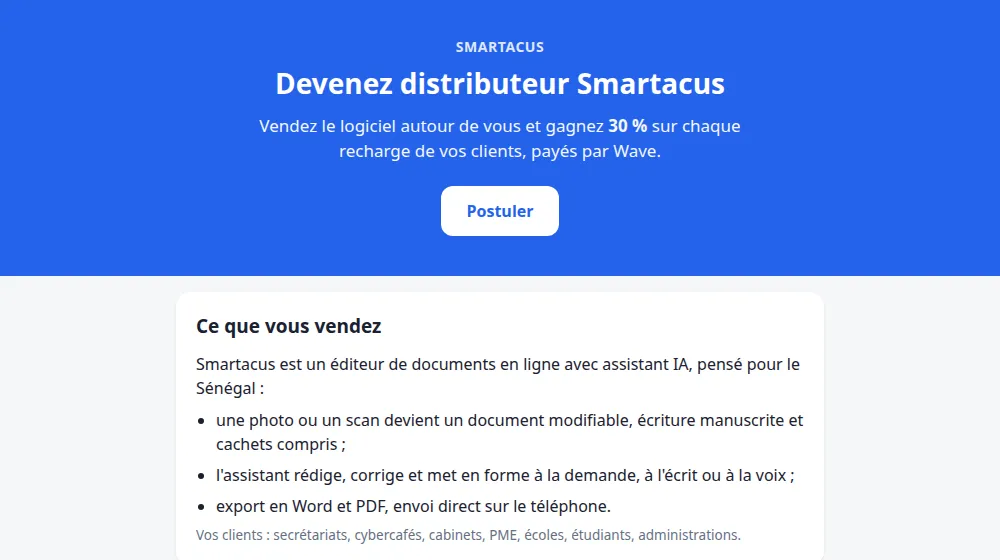
Without an account: the application page
Section titled “Without an account: the application page”- Open odoo.smartacus.pro/affiliation. The page presents the software, your earnings and the steps.
- Under Postuler (Apply), enter your name, your e-mail, your Wave number, your city or neighbourhood and how you plan to sell.
- Click Envoyer ma demande (Send my request).
With an account: from the editor
Section titled “With an account: from the editor”- Open Mon compte: the Affiliation card offers Vendre ce logiciel (Sell this software).
- Explain your approach in a few words (who you plan to help, and how).
- Enter the Wave number that will receive your commissions, if it isn’t saved yet.
- Click Envoyer (Send): your request becomes En attente (Pending).
The Smartacus team reviews your request and lets you know by e-mail as soon as it is approved. If you applied without an account, that e-mail also contains your login details.
B.2 Your affiliate area
Section titled “B.2 Your affiliate area”Once you’re approved, Mon compte shows your Solde parrainage (referral balance). Click Voir (View) to open your affiliate area, also available at odoo.smartacus.pro/my/affiliation.
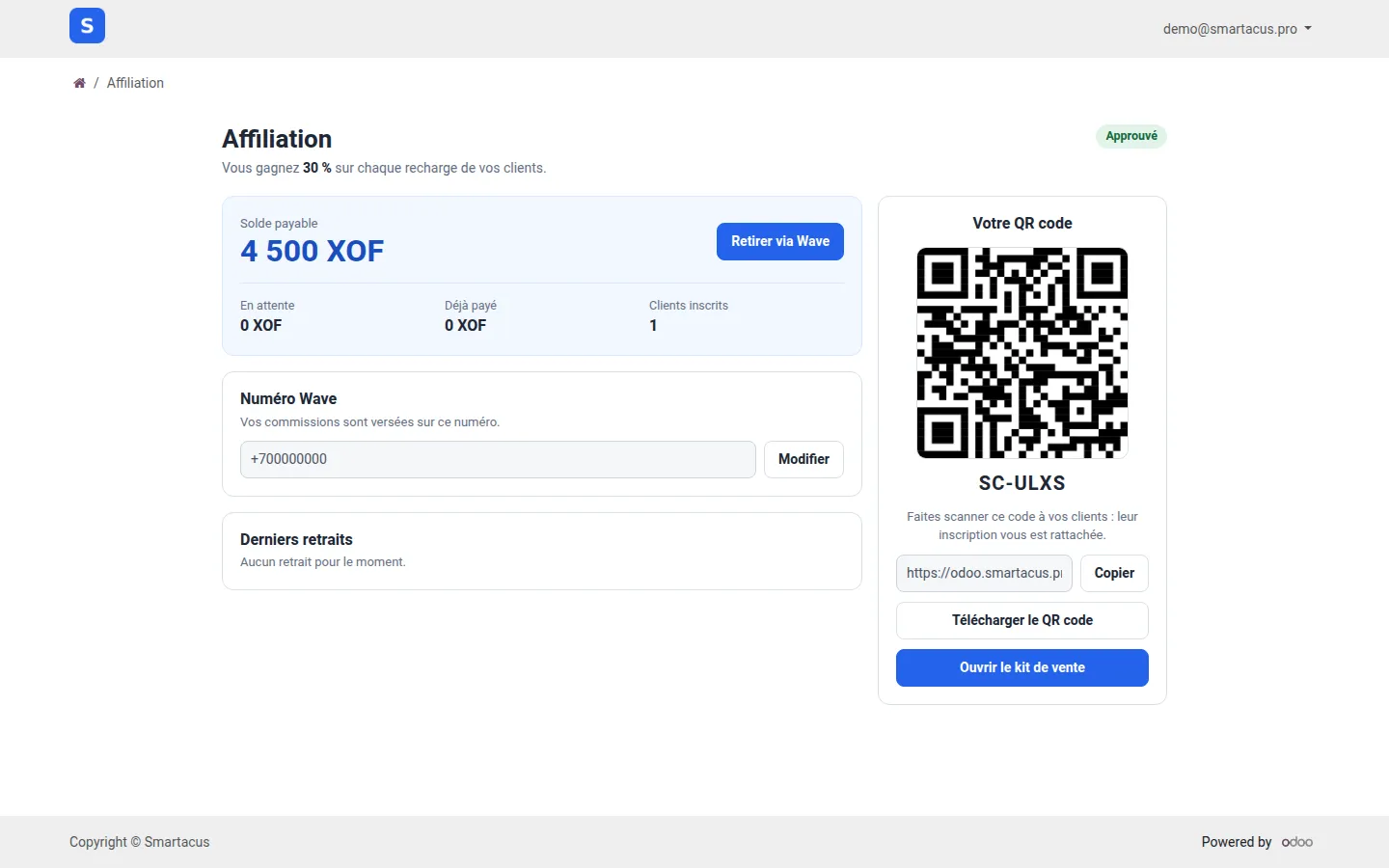
- On the left: your payable balance, pending commissions, the total already paid, the number of registered customers, your Wave number and your latest withdrawals.
- On the right: your QR code, your personal code, your referral link and the sales kit.
B.3 Sign up a customer
Section titled “B.3 Sign up a customer”People who create their account through your link or your QR code become your referrals. Every time one of them tops up credits, you receive your percentage of the amount.
- Face to face: click the QR code to show it full screen and have the customer scan it. A click, the Fermer (Close) button or the Escape key closes it.
- Remotely: click Copier (Copy), then send your link (WhatsApp, e-mail, social media…).
- On paper: Télécharger le QR code (Download the QR code) saves the image so you can print it.
B.4 The sales kit
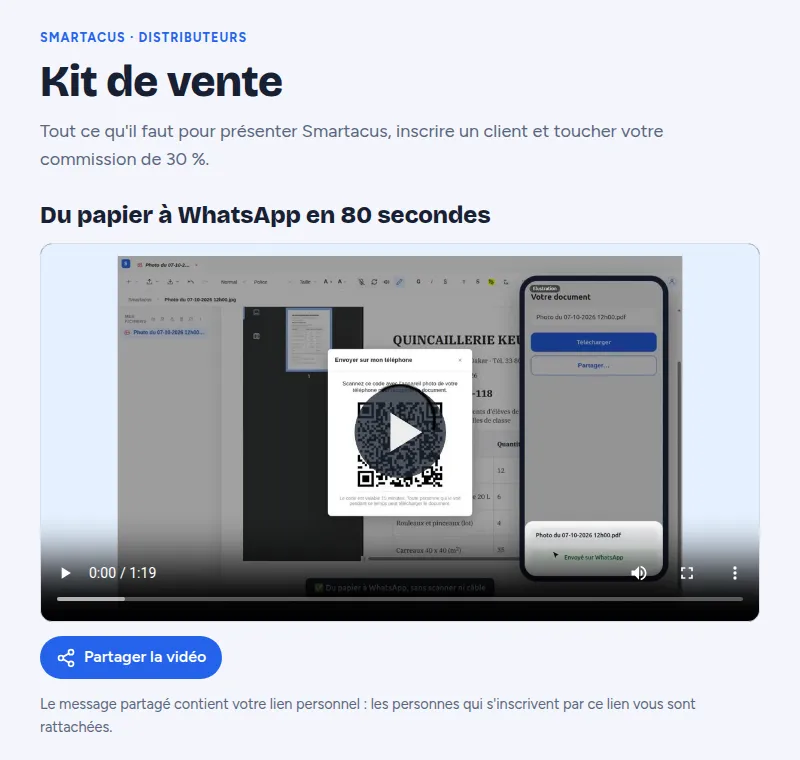
Section titled “B.4 The sales kit”The Ouvrir le kit de vente (Open the sales kit) button leads to odoo.smartacus.pro/affiliation/kit. The kit is reserved for approved resellers: log in to open it. It is in French.
- At the top, the From paper to WhatsApp video and its Partager la vidéo (Share the video) button: the shared message contains your personal link.
- Then: the pitch, the customers to target, a three-minute demo, the pricing and answers to objections.
- Ready-to-copy messages, with your link already inserted, and an announcement to recruit other resellers.
- Your QR code, in the “Inscrire un client” section.
B.5 Withdraw your commissions via Wave
Section titled “B.5 Withdraw your commissions via Wave”Depending on the current setting, a commission may stay pending for a few days, while the top-up is validated, before it becomes payable and is added to your payable balance.
- In your affiliate area, check your Wave number (the Modifier button to change it, then Enregistrer — Save).
- Click Retirer via Wave (Withdraw via Wave) and enter the amount.
- Click Confirmer le retrait (Confirm withdrawal): the amount is sent to your Wave account.
A minimum balance is required to withdraw: until it is reached, the affiliate area tells you. Your latest withdrawals are shown with their date and status: En cours (In progress), Payé (Paid) or Échoué (Failed). A failed withdrawal isn’t lost: the amount stays in your balance.